Settings overview
Settings is where you manage your own account and every organization you belong to. Personal settings apply only to you; organization settings apply to everyone in that organization and are mostly limited to owners and admins.
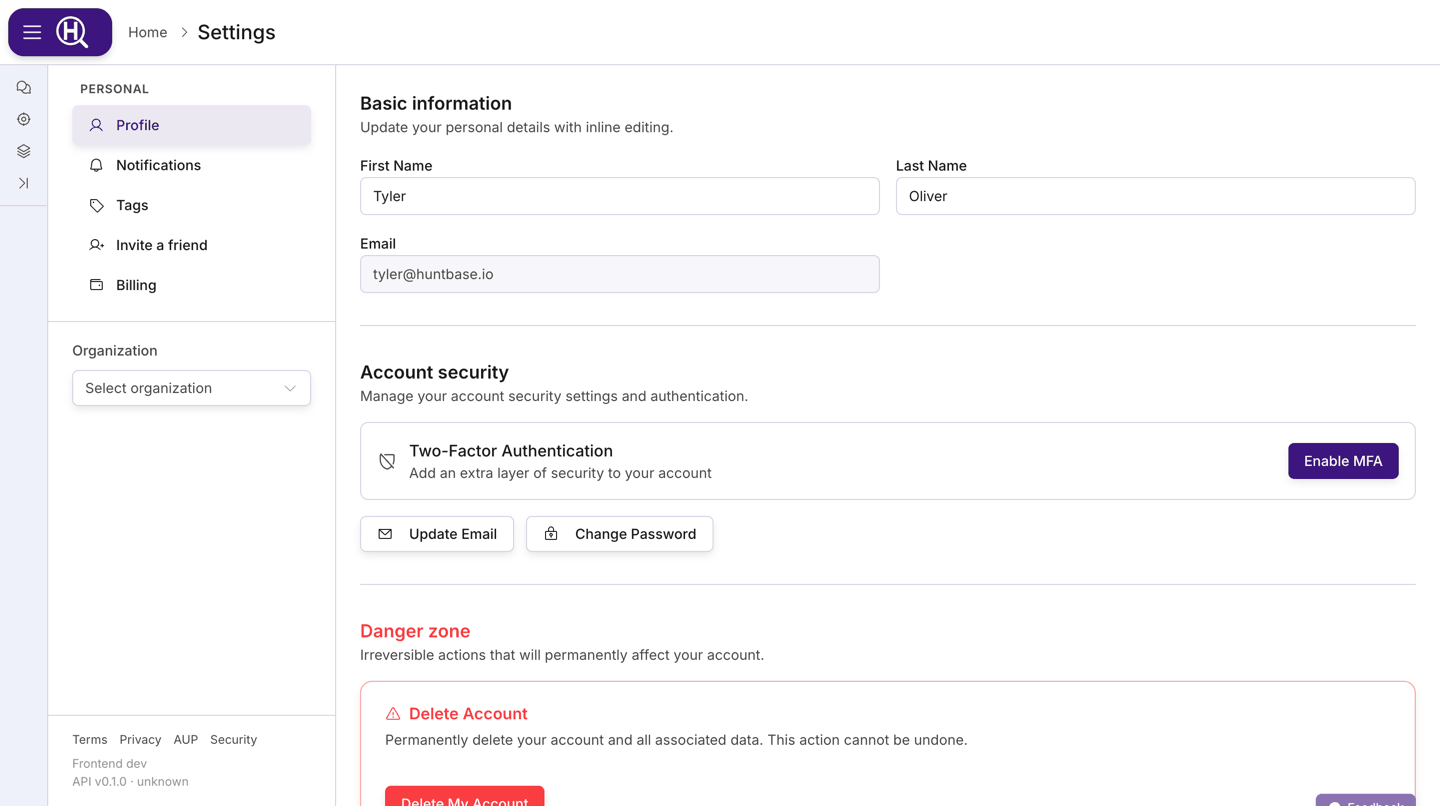
Open Settings
- Open the navigation menu (the floating menu at the edge of the screen).
- Click User Profile. This opens Settings › Personal on the Profile section.
You can also open Settings from the gear icon in the notification bell dropdown or on the Notifications page, which takes you straight to your notification preferences.
The Settings sidebar
The left sidebar has two parts: Personal and Organization.
Personal
| Section | What it does |
|---|---|
| Profile | Your name, email, password, two-factor authentication, and account deletion. See Personal settings. |
| Notifications | Which channels and categories of notifications you receive. See Notifications. |
| Tags | Personal tag folders visible only to you. |
| Invite a friend | Create shareable invite links for people you want to bring into Huntbase. |
| Billing | Your personal subscription and plan. See Billing & plans. |
| Usage | Resource usage and feature entitlements for your personal scope. |
| Storage destinations | Buckets you own where files collected from endpoints are stored, for your personal scope. Shown only when personal scope is available to you. See Collect files. |
| Achievements | Badges you've earned by hunting, your progress towards the next ones, and your showcase. See Achievements. |
| Scout | Your own switches for Scout's endpoint tools and its telemetry lake tools. See Personal settings. |
Billing, Usage, Achievements and Scout are currently rolling out and may not be visible in your Settings sidebar.
Organization
Below the Personal section is an Organization dropdown. It lists every organization you are a member of, plus a Create Organization entry at the bottom. Pick an organization to reveal its sections:
| Section | Who sees it | What it does |
|---|---|---|
| Overview | Everyone | Organization name, membership and security settings, and (for owners) deletion. |
| Members | Everyone | Member list; admins can invite, change roles, and remove members. |
| Billing | Owners and admins | Organization subscription and plan (beta). |
| Usage | Owners and admins | Organization resource usage and entitlements (beta). |
| Capabilities | Everyone (admins change it) | What the organization can use: Scout's web access and, where available, what Scout may do on endpoints, whether Scout may read your shipped telemetry, and the daily scan budget for your own lake. See Capabilities. |
| Tags | Owners and admins | Shared tag folders for the whole organization, including which folders are Access-bearing. |
| Watchers | Owners and admins | Turn watchers on or off for this organization and tune how they act. The main surface is the Watchers page; this tab is scoped to the organization you opened. |
| Storage destinations | Everyone | Buckets your organization owns where files collected from endpoints are stored. Admins manage them; other members see a read-only list. |
| Audit Log | Owners and admins | Searchable history of changes made to the organization. |
Members who are not admins only see Overview, Members, Capabilities and Storage destinations. See Organization management for the details of each section.
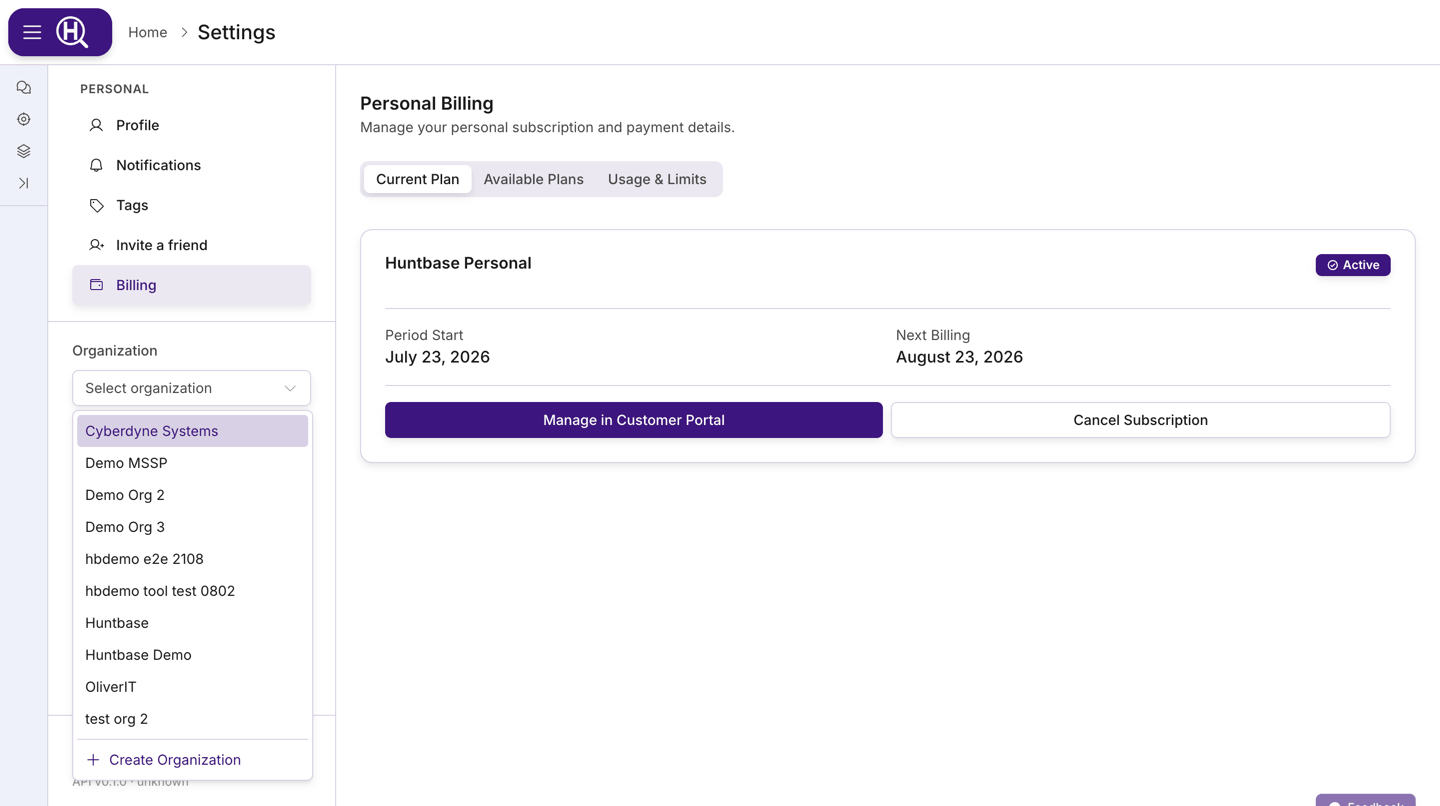
On smaller screens the sidebar is replaced by a section picker at the top of the page. It contains the same Personal and organization sections and the same organization dropdown.
Legal links and version
The bottom of the sidebar shows links to Terms, Privacy, AUP, and Security, followed by the current app and API version. Support may ask you for these version numbers when troubleshooting.
The Scope selector
Outside Settings, the page header contains the Scope selector (labelled Scope: followed by the scope you are working in). Scope decides whose data you are looking at across Huntbase: connections, hunts, insights, queries, playbooks, tags, and more are all filtered by the scope you select.
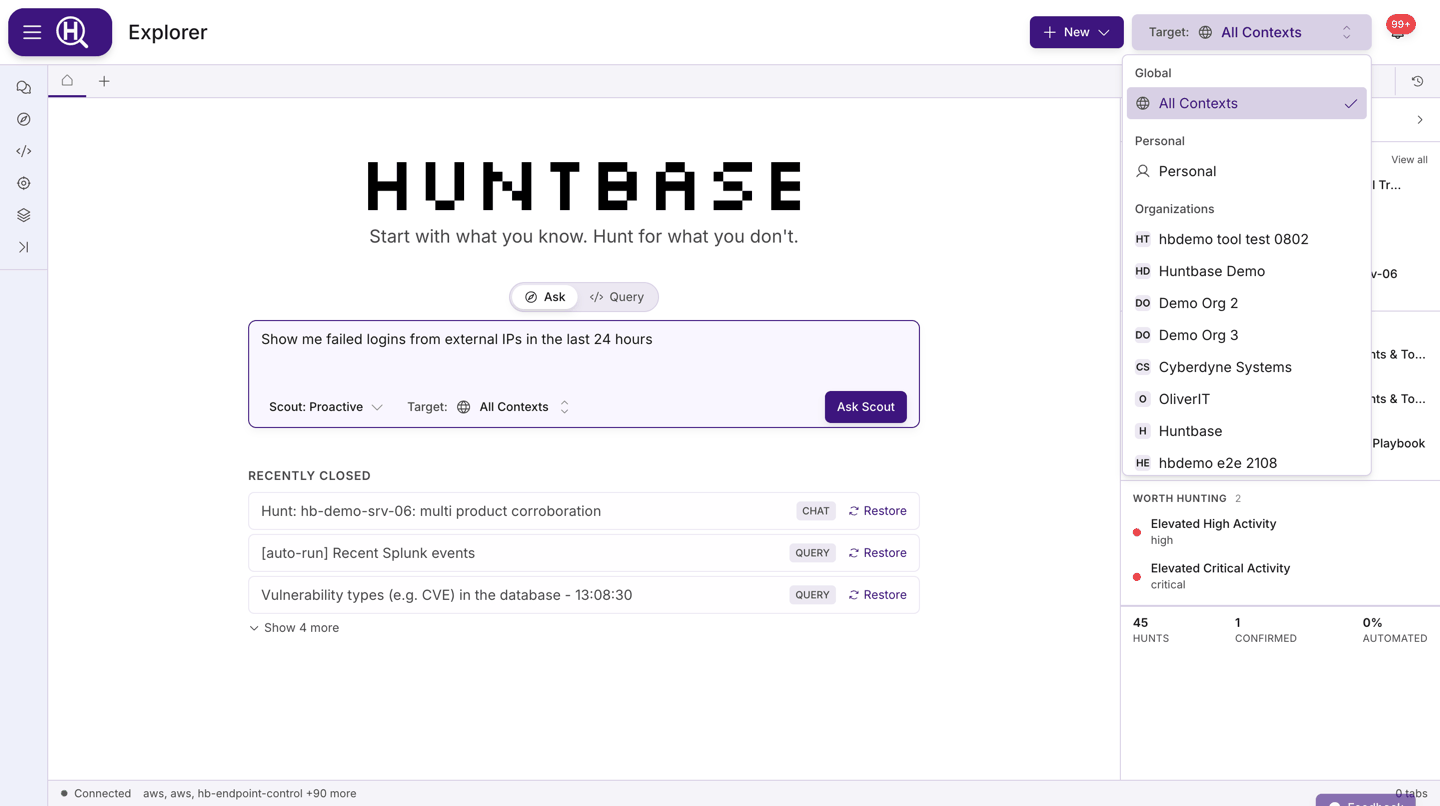
- Personal is your own private scope. Anything created here is visible only to you. It is missing from the list if an organization you belong to has turned personal scope off.
- Each organization you belong to appears as its own scope, under Organizations.
You work in one scope at a time: choosing an entry replaces the current one. Your selection is remembered between visits.
Settings hides the Scope selector — Personal and organization settings are chosen from the sidebar instead.
If a connection, playbook, or hunt you expect to see is missing, check the Scope selector first. It is the most common reason for an "empty" page.
Theme
The light/dark theme toggle lives in the navigation menu, next to the last menu item, not in Settings. Click it to switch themes; the choice is remembered on this browser.
Sign out
Sign Out is the last item in the navigation menu. Signing out returns you to the sign-in page.
Next steps
- Personal settings — profile, security, tags, and invites
- Organization management — create and run an organization
- Notifications — channels and preferences
- Billing & plans — subscriptions and usage