Key concepts & glossary
This page defines the terms used throughout the Huntbase docs and shows how work flows through the product. Skim it once; come back when a word in the app is unfamiliar.
Surfaces
Explorer and tabs
Explorer is Huntbase's home. On the left is the dock, a rail of views: Workspace (a tree of your hunts, stores and schedules), Chats, Queries, Library and Scout. Beside it, the landing page holds the ask box and the Needs you worklist, and every piece of work you open becomes a tab: a query, chat, hunt, hunt node or hunt report. Tabs stay open until you close them, so a running query keeps streaming while you read a chat, and each has a URL you can share or bookmark. In the classic layout the tabs sit in a tab bar; with the new navigation there is no tab bar, and Recent in the navigation lists what you still have open. See Explorer overview.
Inbox and Needs you
The Inbox is one place for everything addressed to you. Its first folder, Needs you, holds what waits on your decision: detections to judge, approvals, and hunts paused on you. You decide each one in place. Its count is the one attention number shown in the header and on Explorer. The other folders, Mentions & assigned, Updates, Messages and Done, are for information and never add to it. See Inbox and Needs you.
Scout
Scout is Huntbase's AI assistant. You talk to it in plain language; it plans, writes and runs queries, extracts entities and insights, summarises results, and proposes next steps. How much it does on its own is up to you (see Initiative below). See Chatting with Scout.
Activity
Activity is the team's shared record of hunts, insights, entities, and queries. Filter by kind, time range, and type; open any row in a side panel; and act on it (start a hunt, review an insight, rerun a query). With the new navigation, hunts, hunt reports and query runs also have list pages of their own: Hunts, Hunt reports and Query history. See Activity.
Pulse
Pulse is the outcomes dashboard and security overview for leads: how many hunts ran, how many confirmed a threat, how much was automated, and how your hunting practice is maturing over time. See Pulse.
Content library
The Content library holds reusable content: hunt playbooks, query templates and watchers (the catalog of rules your organization can switch on, under Content library › Watchers). See Hunt playbooks, Query templates and Watchers. It also holds Test data, the test lake of public attack recordings and baselines you can search in Explorer and test rules and watchers against. See Test data.
Conversations and hunts
| Term | Meaning |
|---|---|
| Chat session | One conversation with Scout, opened as a chat tab in Explorer. It keeps its own history, queries, and stash. Chats are lightweight: ask, get an answer, move on. |
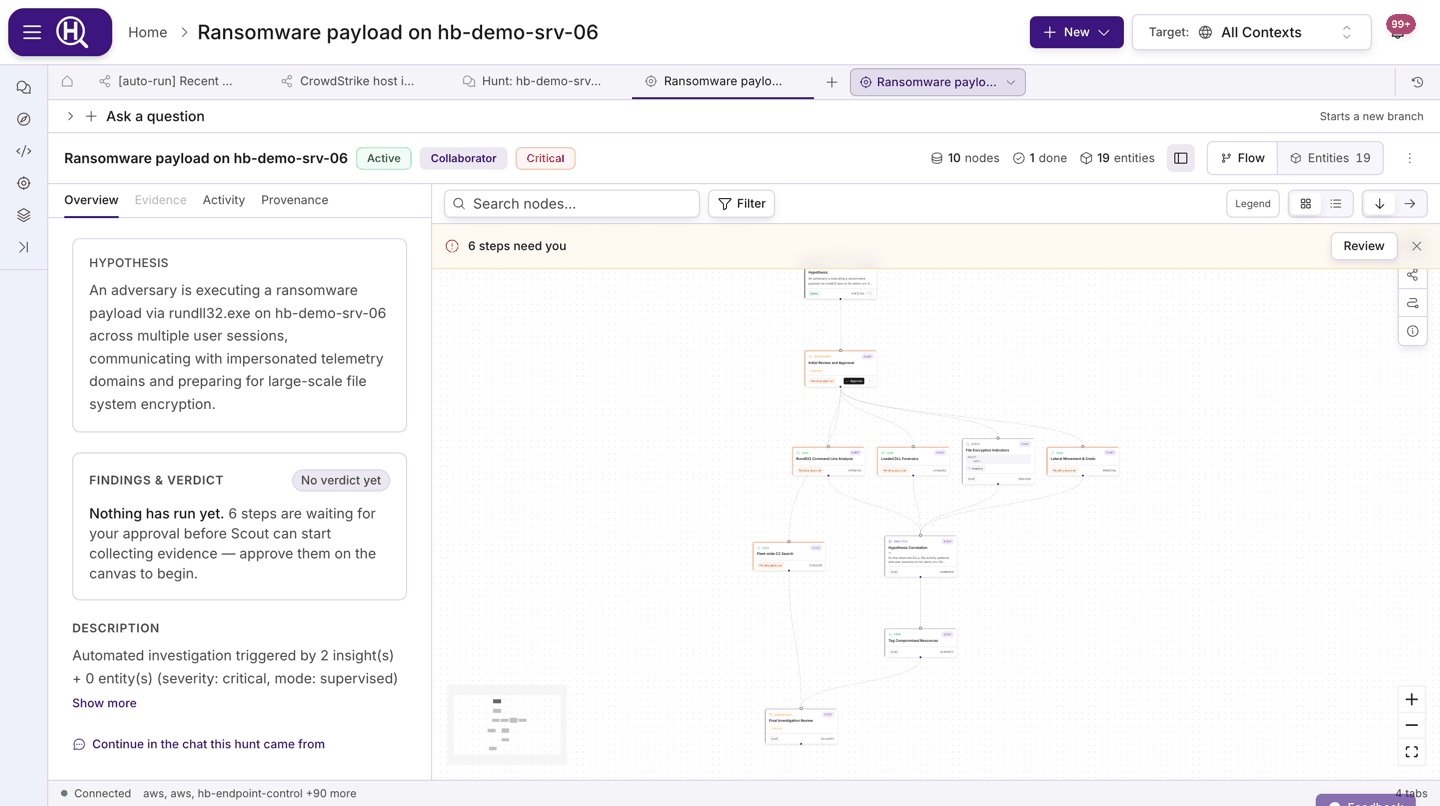
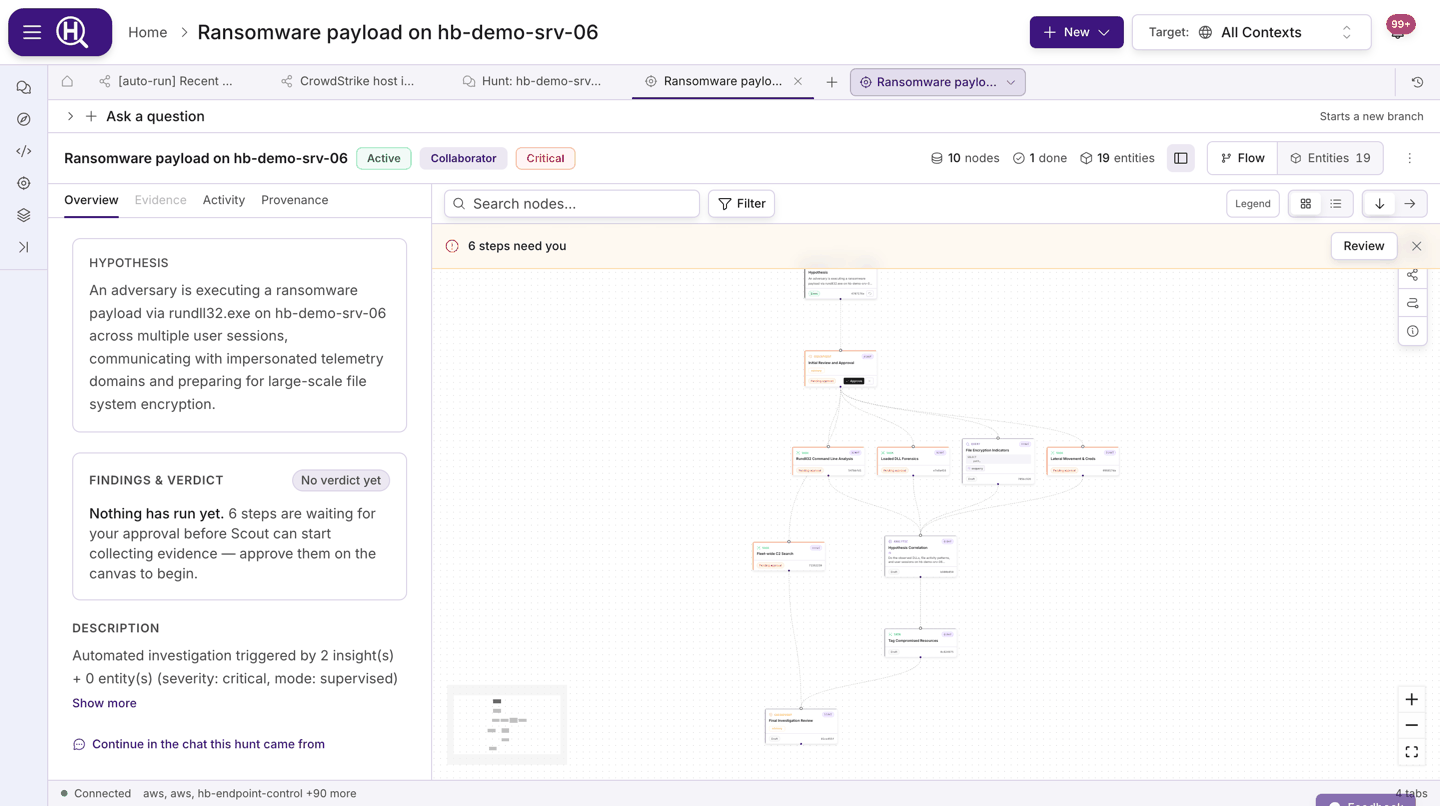
| Hunt | A structured investigation (a hunt session). In Explorer it is a folder — Notebook, Results, Flow, Entities, a Report and its chats — with a title, a hypothesis, a scope, and a verdict. Hunts are the unit that Pulse counts. |
| Notebook | A hunt's primary view: its steps as an ordered list of cells, each showing what it found. Cells can be inserted, moved, archived or deleted, and are grouped under section headings; notes sit between them. |
| Cell / hunt node | One step in a hunt: a query, a task, an action, a checkpoint, a watcher. The same step is a cell in the notebook and a node in the flow. Nodes branch, so the Flow view draws a graph. |
| Checkpoint | A point where Scout stops and waits for your decision before continuing (Approve & run, Refine, or Abort). |
| Checks | The record of every search Scout or a hunt actually ran: where, over what period, what came back, and what wasn't searched. Scout can't write to it. It shows as the checks box under answers, in hunts, in the Brief and in reports. See The checks box. |
| Checks' verdict | The outcome worked out from the checks: Affected, Not affected, No evidence in what we can see, Can't tell yet or Can't confirm. It changes only when a new check arrives. See How the checks' verdict is decided. |
| Verdict | The hunt's conclusion: Confirmed (real malicious activity), Benign (real, but expected or authorised), False positive (the detection was wrong), Clear (checked, and it isn't there) or Inconclusive (couldn't settle it). The same five words are used everywhere you judge something. You record it with Conclude. It leads as Analyst: and your verdict, with the checks' verdict shown beneath it as From the checks:. Verdicts are a log: Scout adds drafts as the hunt progresses, you record the real one, and every verdict stays in the hunt's log. |
| Hunt report | The written outcome of a hunt: verdict, findings, evidence, and next actions. Opens as its own tab; every report is listed under Hunt reports. |
| Finding | What a concluded hunt found: verdict, reason, evidence cells, entities, follow-ups and a customer copy. Saved when you conclude a hunt, printable, and shareable with a customer through an expiring link you can revoke. Findings are listed first on Hunt reports. See Findings. |
| Hunt playbook | A reusable hunt definition in the Content library. Launching a playbook creates a new hunt pre-populated with its steps. |
| Initiative | How proactive Scout is in a chat: Ask first, Balanced, or Proactive. In a hunt the equivalent setting is the mode: Guide, Collaborator, or Operator. |
Queries and results
| Term | Meaning |
|---|---|
| Query | The logic for a search, written in one of the supported languages: Auto (natural language), SQLite, osquery, Cypher, SPL, KQL, ES|QL, ES DSL, or STIX 2.1. See Query languages. |
| Run | One execution of a query against one or more connections at a point in time. Runs have a status (queued, running, done, failed, or cancelled), a row count, and timing. |
| Result set | The rows a run returned. You browse them in a query tab and can export them. |
| Query template | A saved, optionally parameterised query in the Content library that anyone in scope can run in Explorer or schedule. |
| Schedule | A recurring run of a query template. Schedules live on the template's Schedules tab. See Schedules. |
| Query stash | The list of queries Scout has written or run in a chat, kept in a side panel so you can rerun or open any of them. |
| Search | Search the telemetry you ship, then filter it by clicking values. It's a query language, Search (Huntbase Lake), and a mode of a query tab (formerly Browse). Huntbase writes the search as a query. A view is the sources, time range, filters and search you are looking at. You can save a view, share it with Scout, or pin it to a hunt. See Search telemetry. |
Entities and insights
| Term | Meaning |
|---|---|
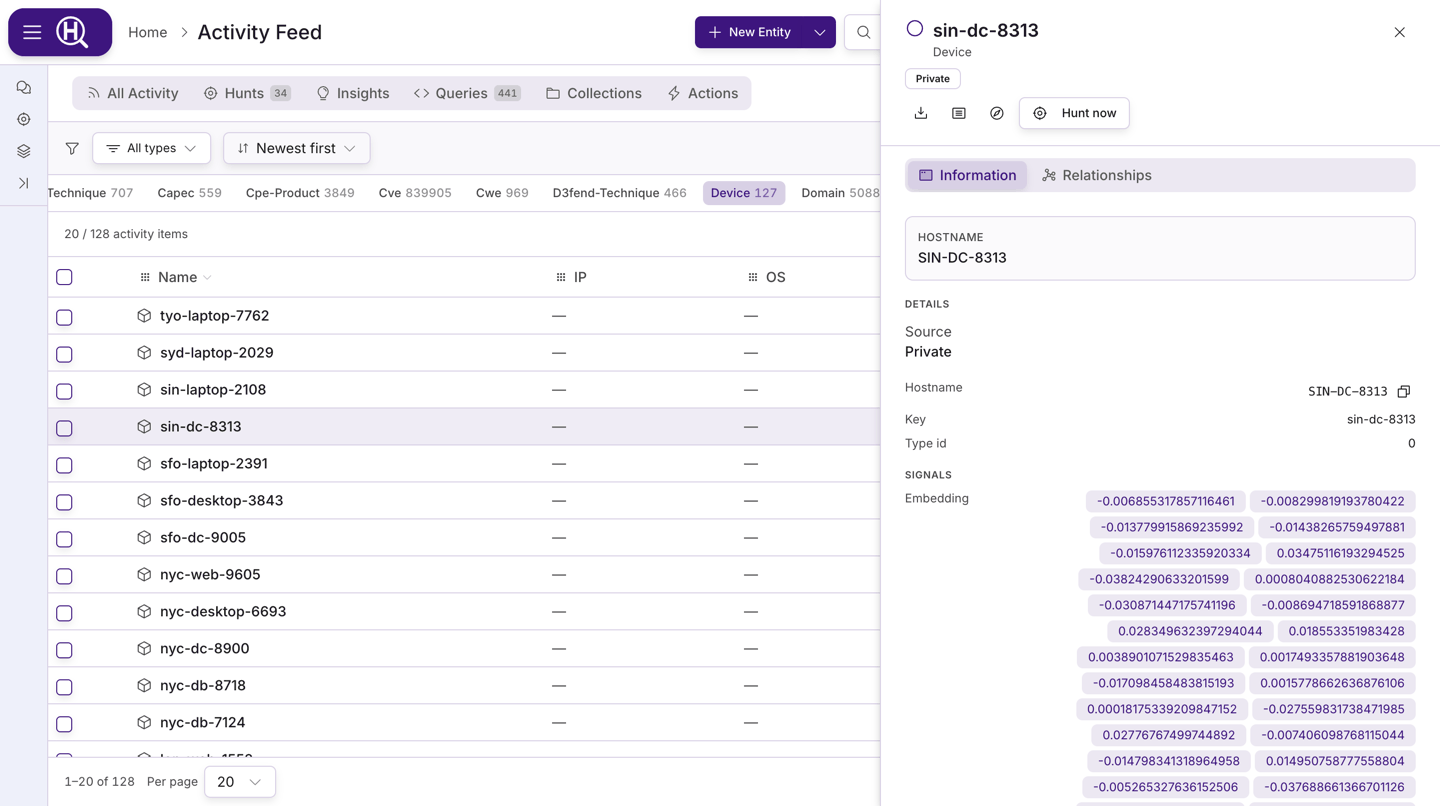
| Entity | A thing you can pivot on: a host, user, IP address, domain, file hash, CVE, technique, and so on. Entities are extracted from results and linked to the run and query that found them (their provenance). Each entity has a detail panel with Information and Relationships tabs. |
| Insight | A finding worth attention: a detection, an anomaly, or a conclusion Scout or an analyst recorded. Insights carry a severity, a source, and links to entities and hunts. |
| Review state | Where an insight is in triage: Needs review → Approved → Hunt started, or Dismissed at any point before a hunt starts. |
| Watcher | The rule: logic Huntbase runs for you (a saved query, a rule built from a Sigma rule, a threshold, a graph pattern) over your events, your entity graph, or a window over earlier signals. When it matches, the watcher fires — and starts a hunt, creates a detection, adds to a digest or tags the graph. Runs Off, in Shadow (evaluated but silent) or On. See Watchers; the catalog is Content library › Watchers and how each one performs is Intelligence › Watcher health. |
| Detection | What a watcher produces, never the rule itself. A watcher fires; a firing can create a detection, which triggers a hunt or another workflow. Detections from connected products (an EDR alert, for example) arrive as insights. |
Connections and scope
| Term | Meaning |
|---|---|
| Product | Something Huntbase can integrate with: a SIEM, an EDR, a cloud provider, an identity provider, a threat intelligence source. The catalog under Connections lists them. |
| Connection | A configured instance of a product with its own credentials and settings. You can have several connections to the same product. Queries run against connections. See Connections. |
| Data lake | Telemetry queried from an Iceberg store you own, or shipped to Huntbase directly, rather than reached through a connection. See Data lake. |
| Telemetry source | One telemetry ingest key and the shipper that sends on it. Each source has a status: Receiving, Quiet, Rejecting, Never seen or Revoked. See Telemetry. |
| Endpoint Control | Huntbase's osquery fleet management. Request it from Endpoints, install the endpoint agent on your hosts, then query them like any other connection. Each Endpoint Control connection is one fleet, reached at its own agent address. See Get Endpoint Control and Endpoint Control. |
| Endpoints | The workspace for the hosts in your fleets: health, details and logs, file collection, access and the audit trail (beta). See Endpoints overview. |
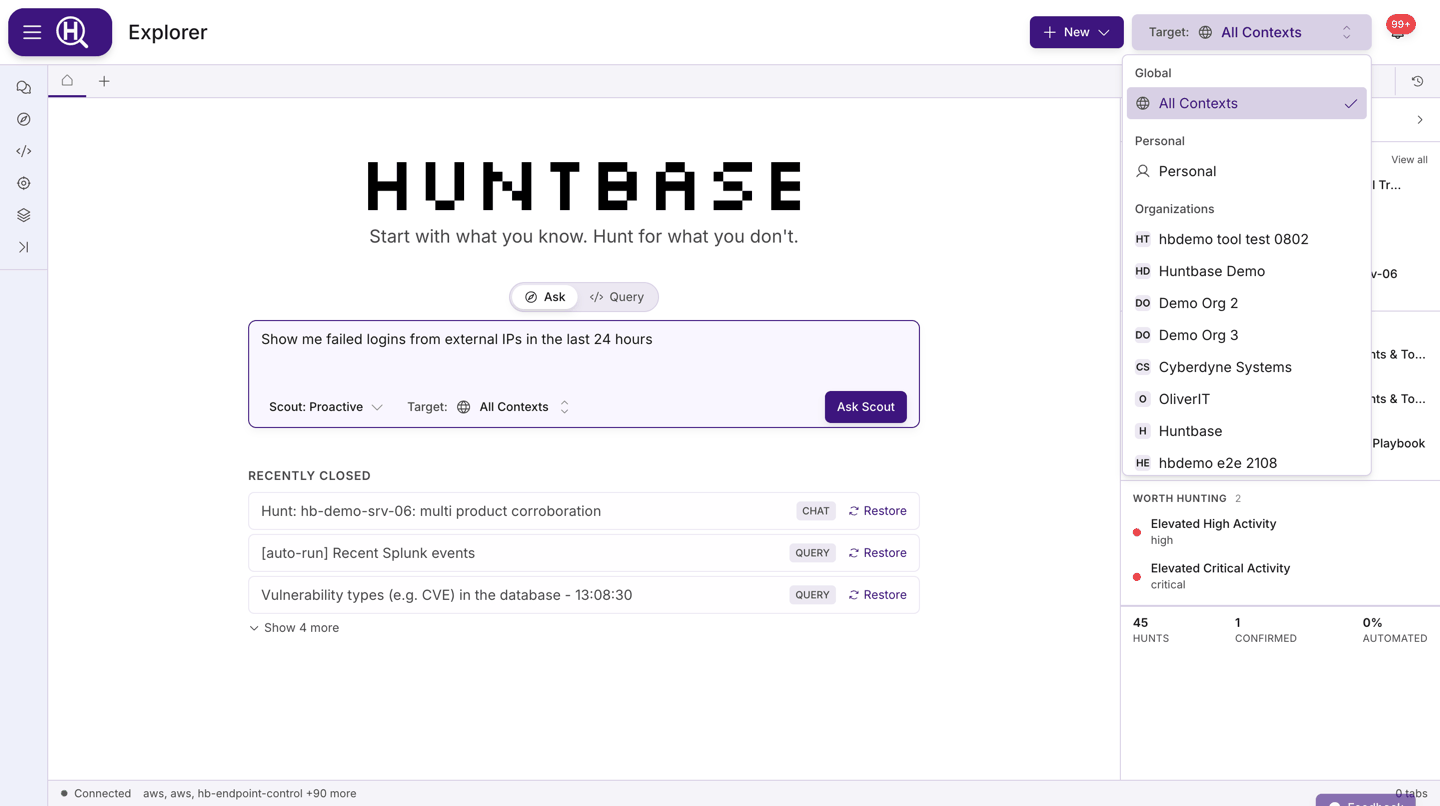
| Scope | Whose data you are working in. You work in one or more organizations, and usually also have a private Personal scope — an organization can turn personal scope off for its members. Connections, queries, chats, hunts, and insights all belong to a scope. |
| Scope selector | The control in the page header where you pick the one scope you are working in. Everything on screen — feed rows, connections, Scout's answers — is filtered to that scope. If you change the scope after a tab loaded, the tab is marked so you know its contents may be out of date. |
The query lifecycle
Ask or write → Run → Results → Entities / Insights → Save or schedule
- Ask or write — Ask Scout in plain language, write a query in the ask box, or run a template from the Content library.
- Run — The query executes against the selected connections. Scout may show a confirm-execution card first, depending on your initiative level.
- Results — Rows stream into a query tab where you can pivot, filter, and export.
- Entities / Insights — Extracted objects and findings appear in the side panel, in chat cards, and in Activity.
- Save or schedule — Keep the query as a template, and schedule it if it should run again.
The hunt lifecycle
Question → Hunt → Cells & checkpoints ⇄ Verdict → Report → Pulse
- Question — A chat with Scout, an entity's Add to hunt ▾ › New hunt from this…, a playbook, an insight, or a watcher raises something worth structured work. A hunt started from a chat is named after your question and keeps the chat linked.
- Hunt — A hunt session is created with a subject or hypothesis and a scope, seeded from wherever it started, and opens on its notebook.
- Cells & checkpoints — You and Scout add steps: queries, tasks, actions. Scout runs what your chosen mode allows and pauses at checkpoints for your decision. When a step fails, Fix with Scout writes a replacement beneath it.
- Verdict — The checks give their own verdict as steps run. When you're ready, choose Conclude: record your verdict and close the hunt, or tick Keep hunt open to keep working. The log keeps every entry. Detections waiting for a verdict are listed in Needs you.
- Report — Scout writes the hunt up; you share or export the report, and the customer report gives the outcome to people outside the team.
- Pulse — The outcome is counted alongside every other hunt in your scope.
Data flow
Products ── Connections ── Queries / Runs ── Results
                                              │
                          Entities ◄──────────┼──────────► Insights
                              │               │               │
                              └──── Chats & Hunts (Scout) ────┘
                                              │
                          Activity ◄─────┴─────► Pulse
Connections bring products in. Queries run against them and return results. Entities and insights are extracted from results and from Scout's own reasoning. Chats and hunts tie the pieces into investigations, and Activity and Pulse are where the team sees the whole picture.
Data standards
- OCSF — Huntbase normalises event data using the Open Cybersecurity Schema Framework where a product supports it. See OCSF schema.
- STIX 2.1 — Supported as one of the query languages, for pattern-based indicator queries. See Query languages.
Next steps
- Explorer overview — the navigation, the Explorer page and the workspace in detail
- Chatting with Scout — modes, initiative, and what Scout shows you
- Hunts — sessions, modes, checkpoints, and reports
- Inbox — what needs you, mentions, updates and messages